

Prerequisites
Before you begin, make sure you have:- An active RabbitPay merchant account
- Your valid GSTIN
- Your registered business details as shown on the GST portal
Step 1: Open Store Details
- Log in to your RabbitPay Dashboard.
- In the left sidebar, expand Settings.
- Select Store Details.
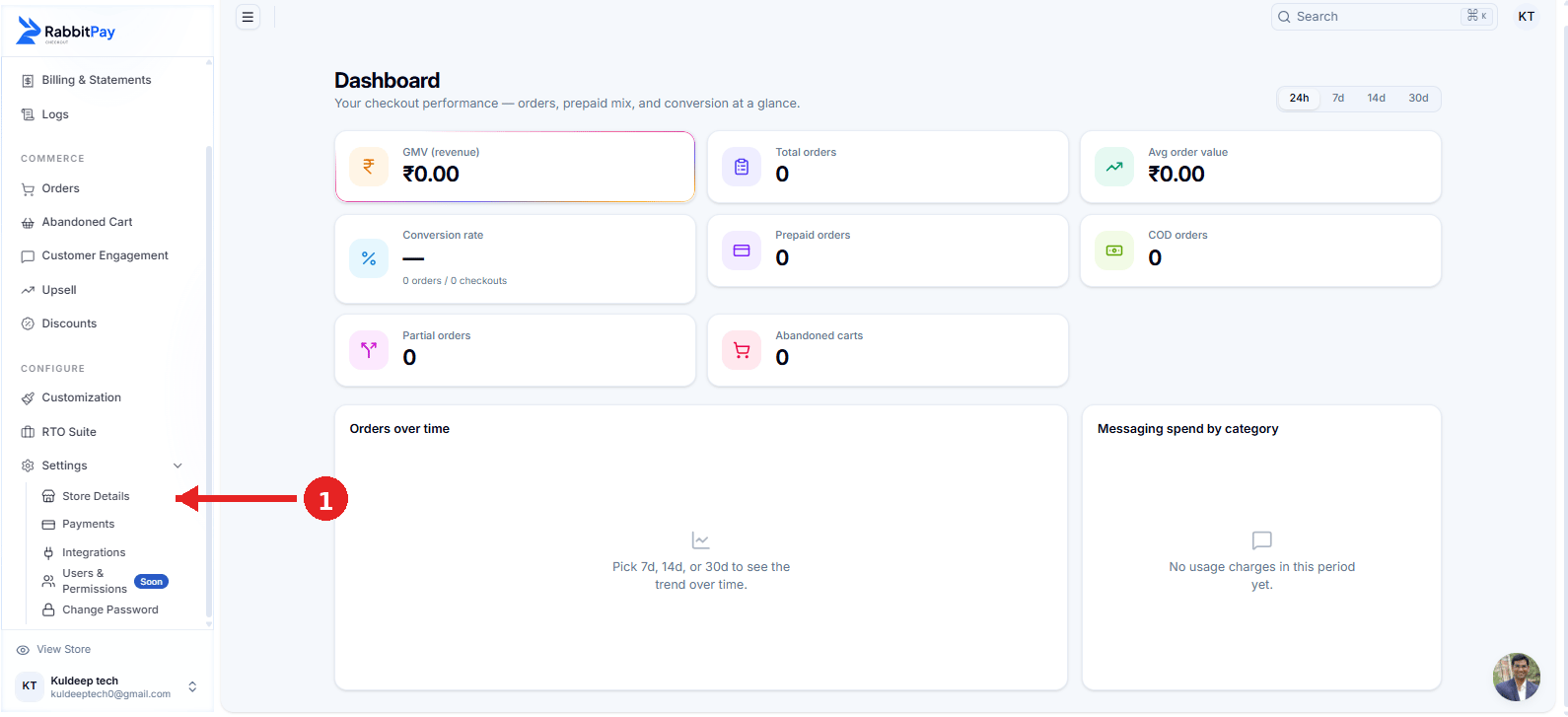
Open Settings → Store Details from the RabbitPay Dashboard.
Store Details is where you can manage your business information used for RabbitPay billing and invoices.
Step 2: Edit Your Business Details
On the Store Details page, find the Business Details section. Click Edit to update your business information.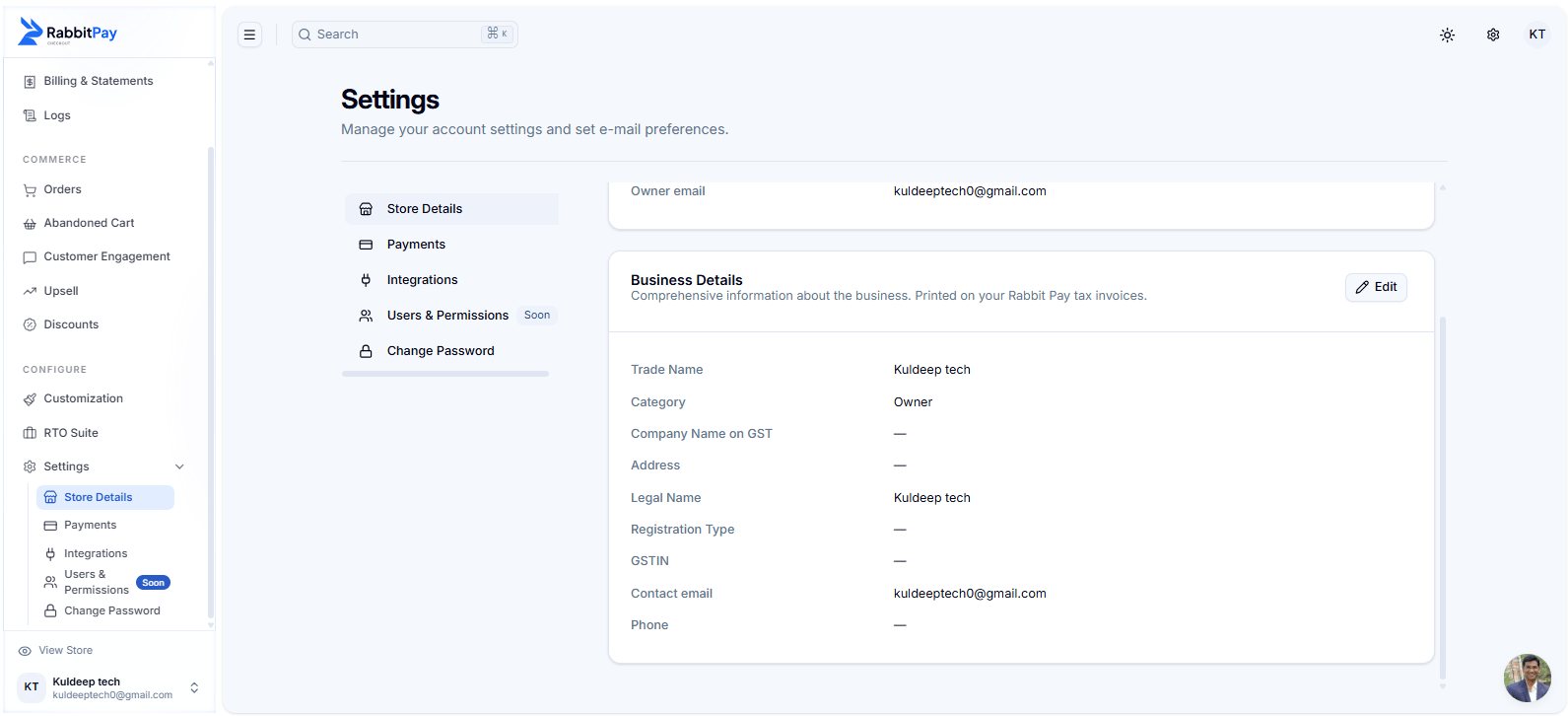
Business Details section in RabbitPay Store Details.
Step 3: Add Your GSTIN
In the Edit business details window, enter your registered business information. Fill in the relevant fields:- Trade name — Your business or store trade name.
- Legal name — The legal name of your business.
- Company name on GST — Enter the name registered on the GST portal.
- GSTIN — Enter your valid 15-character GSTIN.
- Registration type — Select the applicable GST registration type.
- Business address — Enter your registered business address.
- Phone — Enter your business contact number.
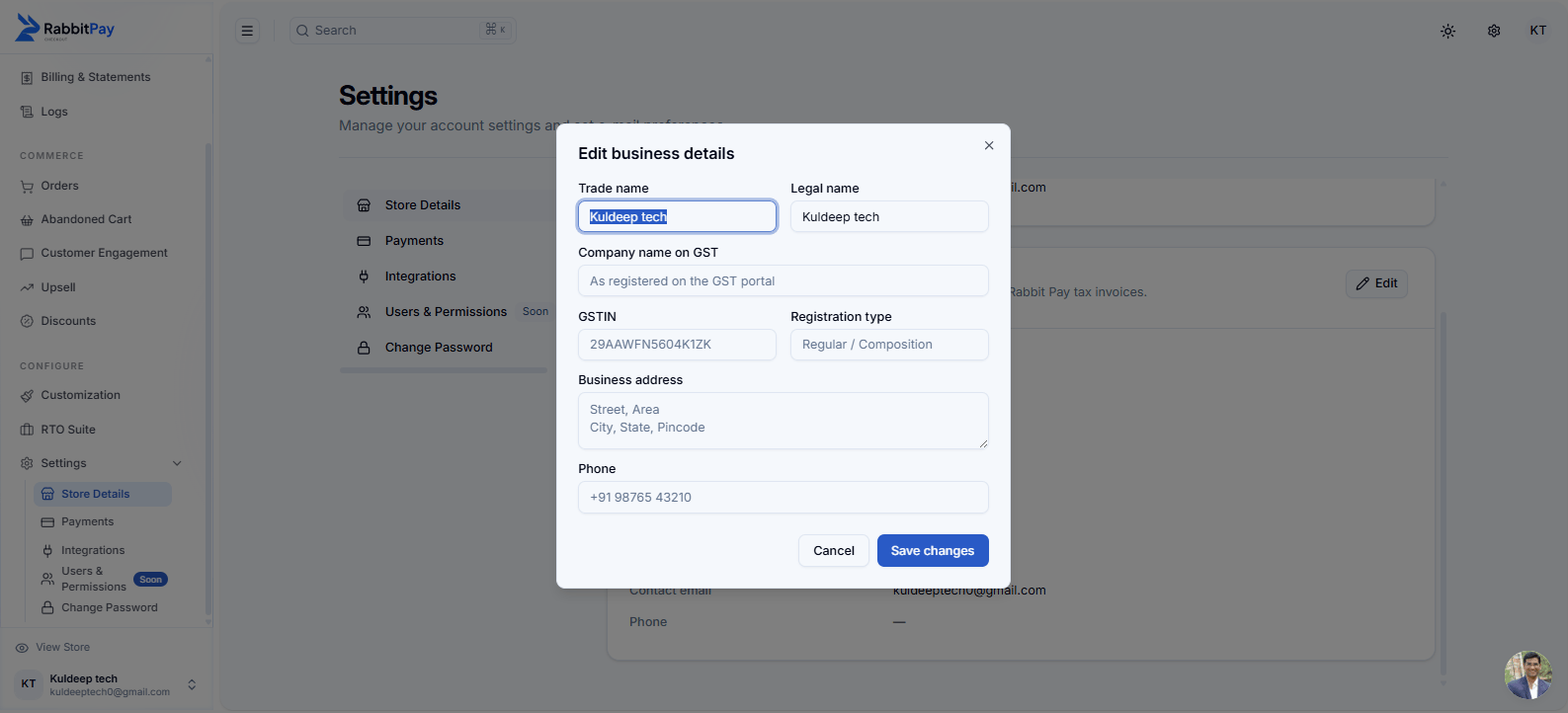
Enter your GSTIN and registered business details.
Step 4: Save Your Details
After entering the required information:- Review your GSTIN and business details.
- Click Save changes.
- RabbitPay will update your business information.
Your GSTIN has been added successfully when it appears in the Business Details section.
What This Enables
Adding your GSTIN helps RabbitPay associate your registered business information with your account billing details.GSTIN on Account
Keep your GST registration details associated with your RabbitPay merchant account.
Accurate Business Details
Maintain your registered trade name, legal name, GSTIN, address, and contact information in one place.
Billing Information
Your saved business details can be used for billing and invoice-related information for RabbitPay services.
Easy Updates
Update your business details whenever your registered information changes.
Result
Your GSTIN and business details are now saved in RabbitPay. You can return to: Settings → Store Details → Business Details to review the information at any time.Always keep your GSTIN and registered business information accurate and up to date.