> ## Documentation Index
> Fetch the complete documentation index at: https://docs.rabbitpay.ai/llms.txt
> Use this file to discover all available pages before exploring further.
# Cart Value Rules
> Configure payment rules based on cart value to control when Cash on Delivery (COD), Partial Payment, or Full Payment is available during checkout.
# How to Set Different Payment Rules Based on Cart Value
RabbitPay allows you to create payment rules based on the customer's cart value. For example, you can enable **Cash on Delivery (COD)** only for orders below a certain amount and automatically hide it for higher-value orders.
This helps reduce RTO risk on expensive orders while encouraging customers to choose prepaid payment methods.
***
## Why Use Cart Value Rules?
Cart value-based rules help you:
* Reduce RTO losses on high-value orders.
* Limit COD for expensive purchases.
* Encourage customers to pay online.
* Apply different payment options for different order values.
* Create a better checkout experience based on order value.
***
## Step 1: Create a Payment Rule
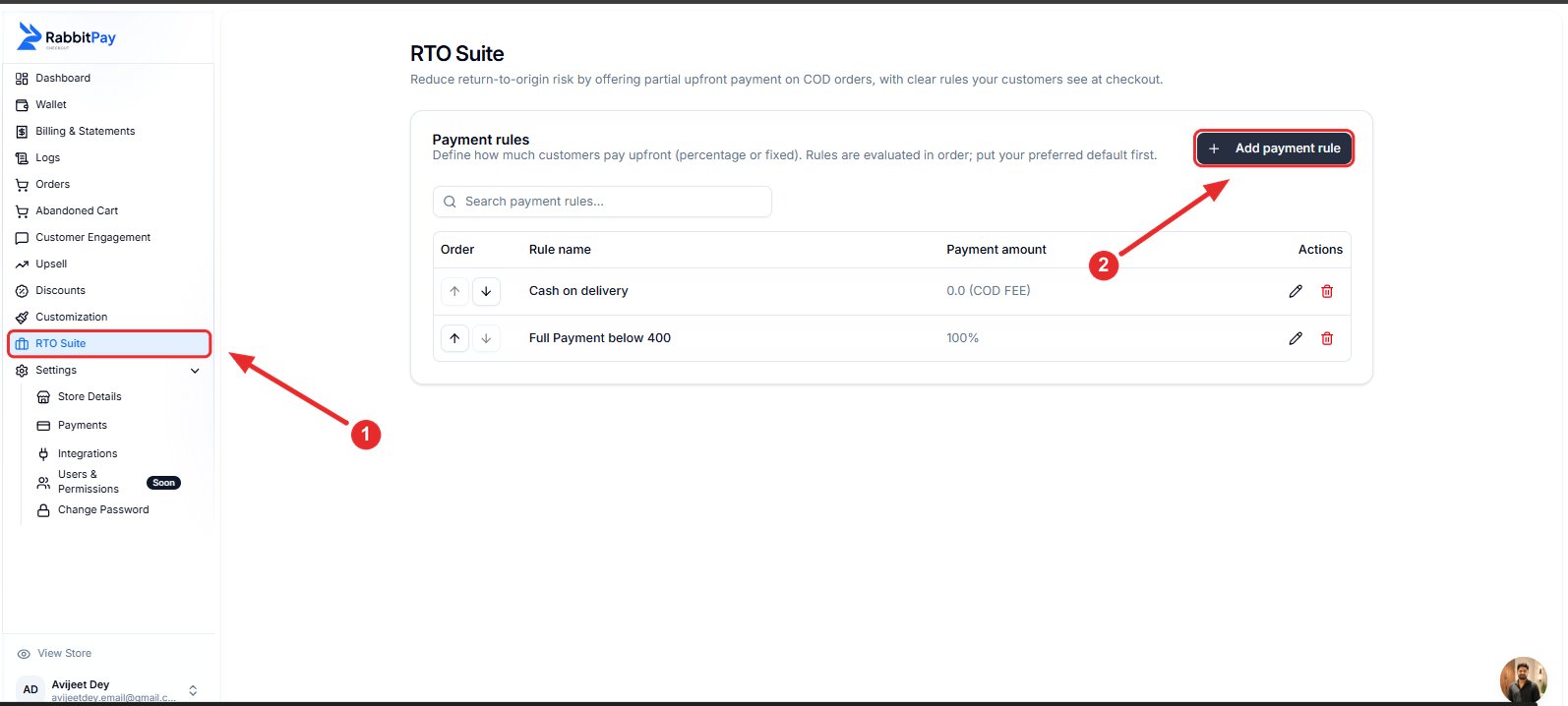
1. Log in to your RabbitPay Dashboard.
2. Go to **RTO Suite**.
3. Click **Add Payment Rule**.
 ***
## Step 2: Configure the Rule
Fill in the payment rule details.
| Field | Value |
| ----------- | ----------------------------------------------- |
| Rule Name | Full Payment Above 2900 *(Recommended)* |
| Amount Type | Full Payment (100%) |
| Cart Range | Set the cart value where this rule should apply |
For this example:
| Minimum Cart Value | Maximum Cart Value |
| ------------------ | ------------------ |
| ₹2,900 | Leave Empty |
This means the rule will apply to all orders above **₹2,900**.
***
## Step 2: Configure the Rule
Fill in the payment rule details.
| Field | Value |
| ----------- | ----------------------------------------------- |
| Rule Name | Full Payment Above 2900 *(Recommended)* |
| Amount Type | Full Payment (100%) |
| Cart Range | Set the cart value where this rule should apply |
For this example:
| Minimum Cart Value | Maximum Cart Value |
| ------------------ | ------------------ |
| ₹2,900 | Leave Empty |
This means the rule will apply to all orders above **₹2,900**.
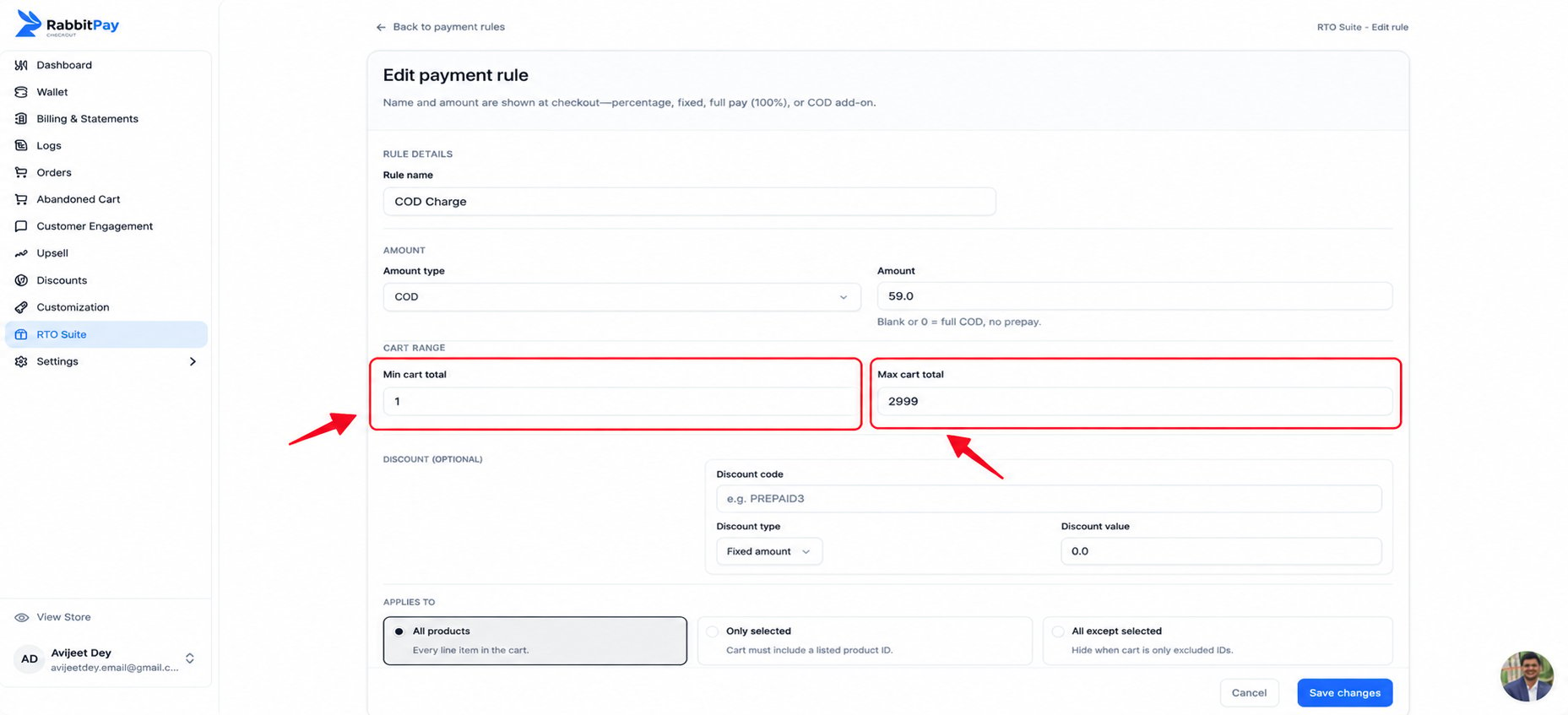 > **Tip:** Leave the **Maximum Cart Value** empty if you want the rule to apply to all orders above the minimum amount.
***
## Step 3: Save the Rule
1. Review your settings.
2. Enable **Rule Enabled**.
3. Click **Save Changes**.
***
## Checkout Example
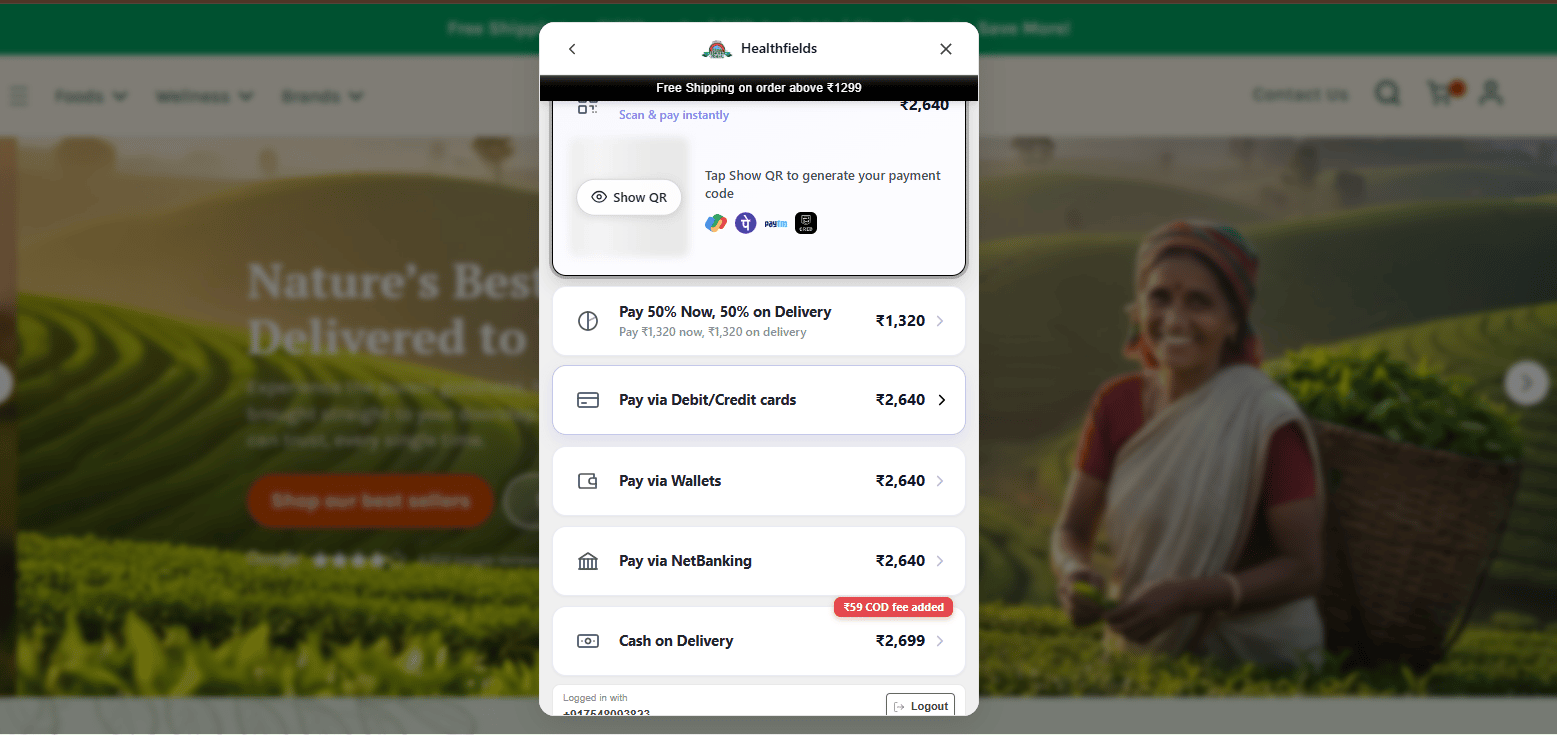
### Cart Value Below ₹2,900
When the cart total is below **₹2,900**, the customer can still choose **Cash on Delivery (COD)** along with the other available payment methods.
> **Tip:** Leave the **Maximum Cart Value** empty if you want the rule to apply to all orders above the minimum amount.
***
## Step 3: Save the Rule
1. Review your settings.
2. Enable **Rule Enabled**.
3. Click **Save Changes**.
***
## Checkout Example
### Cart Value Below ₹2,900
When the cart total is below **₹2,900**, the customer can still choose **Cash on Delivery (COD)** along with the other available payment methods.
 ***
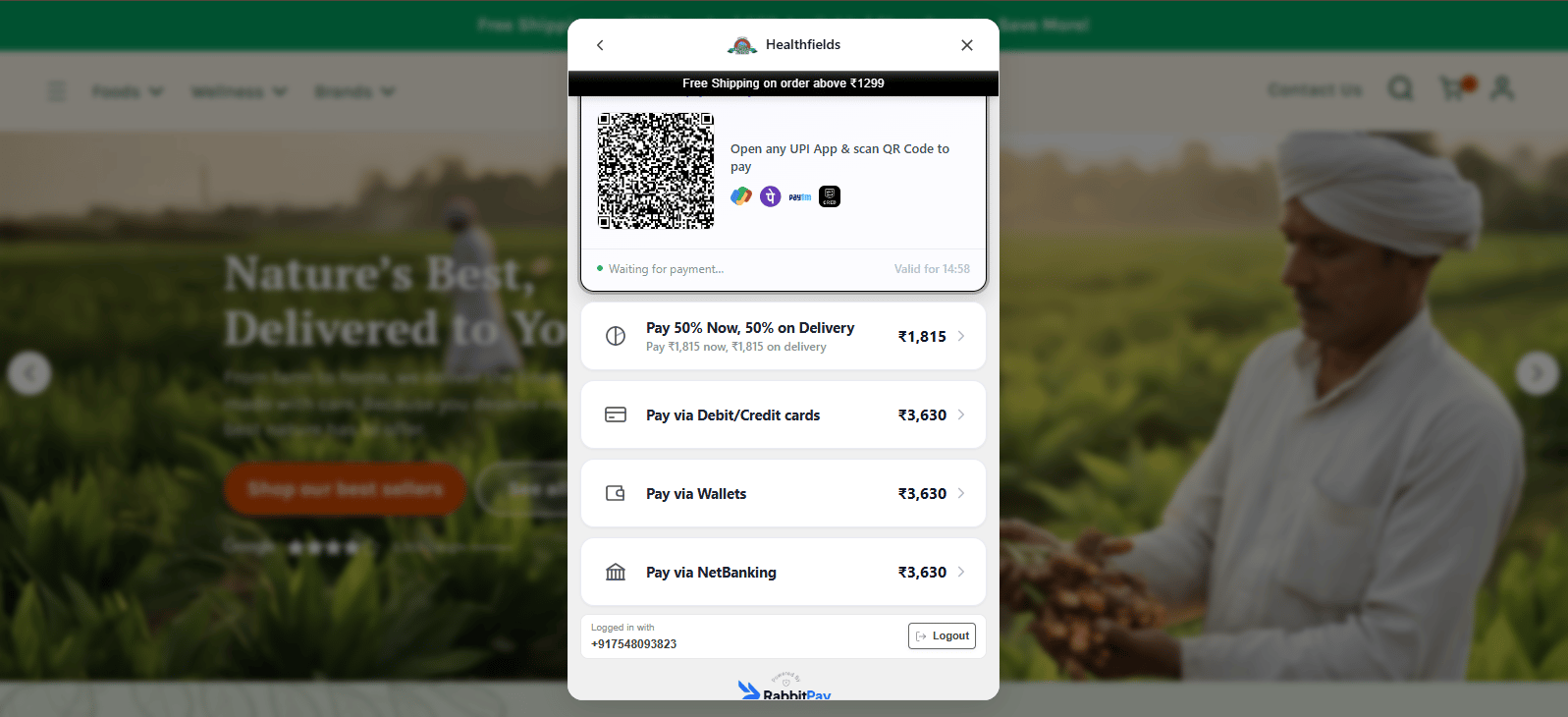
### Cart Value Above ₹2,900
Once the cart value exceeds **₹2,900**, RabbitPay automatically applies the payment rule.
The **Cash on Delivery (COD)** option is removed, and customers can complete their purchase using the available prepaid payment methods.
***
### Cart Value Above ₹2,900
Once the cart value exceeds **₹2,900**, RabbitPay automatically applies the payment rule.
The **Cash on Delivery (COD)** option is removed, and customers can complete their purchase using the available prepaid payment methods.
 ***
## Example Configuration
| Setting | Value |
| ------------------ | ----------------------- |
| Rule Name | Full Payment Above 2900 |
| Payment Type | Full Payment (100%) |
| Minimum Cart Value | ₹2,900 |
| Maximum Cart Value | Not Set |
| Applies To | All Products |
***
## Result
Customers with a cart value **below ₹2,900** can continue using **Cash on Delivery (COD)**.
When the cart value reaches or exceeds **₹2,900**, RabbitPay automatically hides the COD option and displays only the available prepaid payment methods, helping reduce RTO risk on high-value orders.
***
## Example Configuration
| Setting | Value |
| ------------------ | ----------------------- |
| Rule Name | Full Payment Above 2900 |
| Payment Type | Full Payment (100%) |
| Minimum Cart Value | ₹2,900 |
| Maximum Cart Value | Not Set |
| Applies To | All Products |
***
## Result
Customers with a cart value **below ₹2,900** can continue using **Cash on Delivery (COD)**.
When the cart value reaches or exceeds **₹2,900**, RabbitPay automatically hides the COD option and displays only the available prepaid payment methods, helping reduce RTO risk on high-value orders.